Sync samples to your DAW.
The desktop app ships with the Tracklib Connect VST plugin - preview samples in sync with your DAW project before downloading. BPM and pitch are matched automatically.
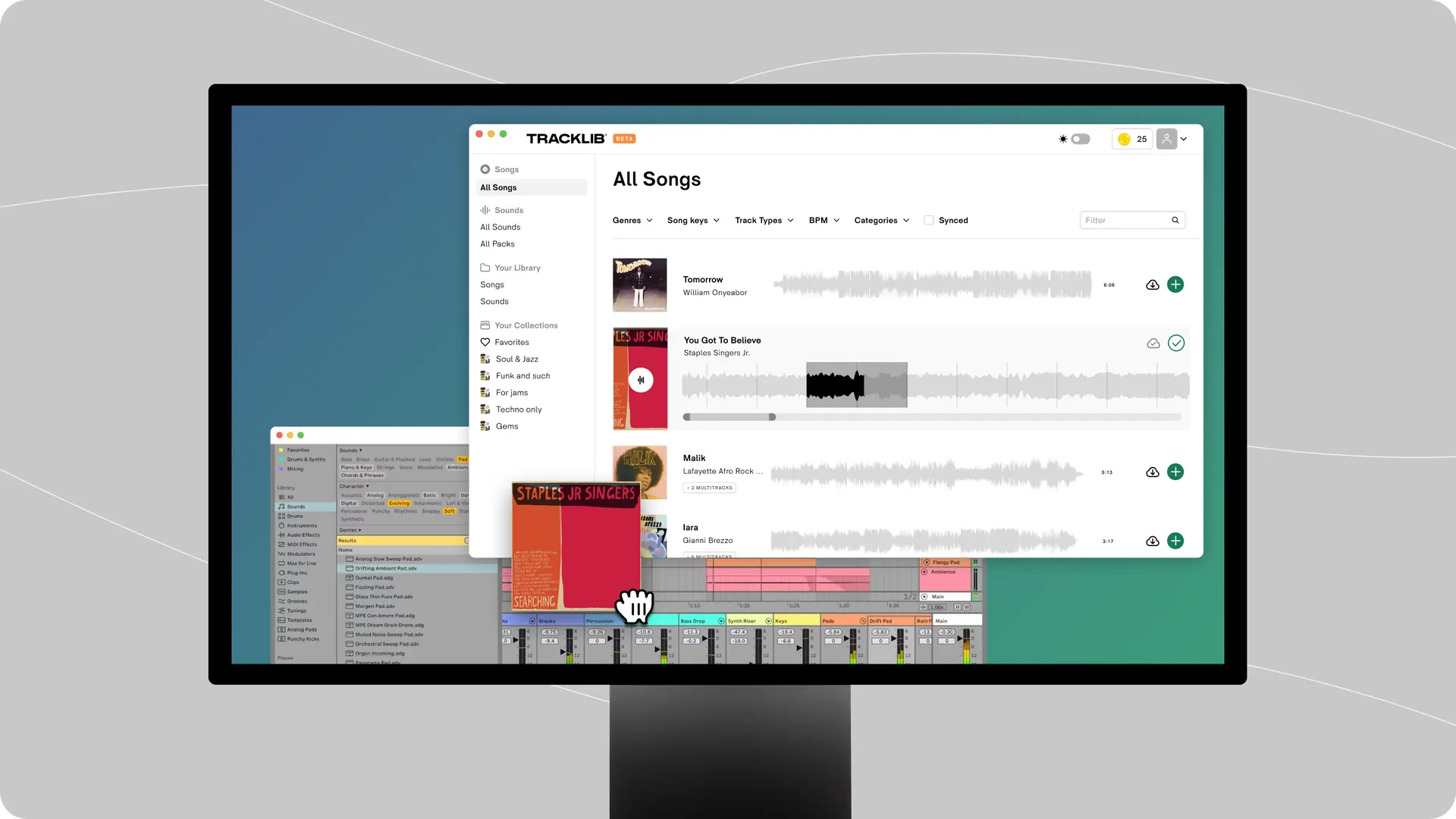
A faster, calmer Tracklib that lives next to your DAW.
Sync samples directly into Ableton, Logic, FL Studio and more with the Tracklib Connect plugin - no exporting, no dragging around files.
Drag samples straight from the desktop app into your DAW session, your file manager, or your favourite folder. It just works.
Get the full Tracklib catalog without browser tabs in the way. Background downloads, persistent library, ready when inspiration hits.
Anything you save, favorite or download is in sync across web, desktop and mobile - same account, same library, everywhere.
The desktop app ships with the Tracklib Connect VST plugin - preview samples in sync with your DAW project before downloading. BPM and pitch are matched automatically.
The Tracklib desktop app streamlines your music production workflow by syncing Tracklib samples directly to the computer you use for making music. Easily browse, preview, and drag & drop samples straight into your DAW for seamless music creation.
Instant access to the songs and sounds you’ve discovered on Tracklib, plus the full library of 100,000+ original songs and 500,000+ royalty-free sounds. Browse and discover new samples, sync your collections and favorites, drag and drop samples into your DAW, and preview tracks while creating custom loops with pitch adjustment.
The desktop app comes with the Create plan. Download it from the links at the top of this page, then log in with your Tracklib account. On Play, upgrade to Create from your account settings to get access.
Yes - install the Tracklib Connect plugin from inside the desktop app, then add it as a MIDI track instrument in your DAW.
Bring Tracklib into your studio session. Free to download and included in Create.